
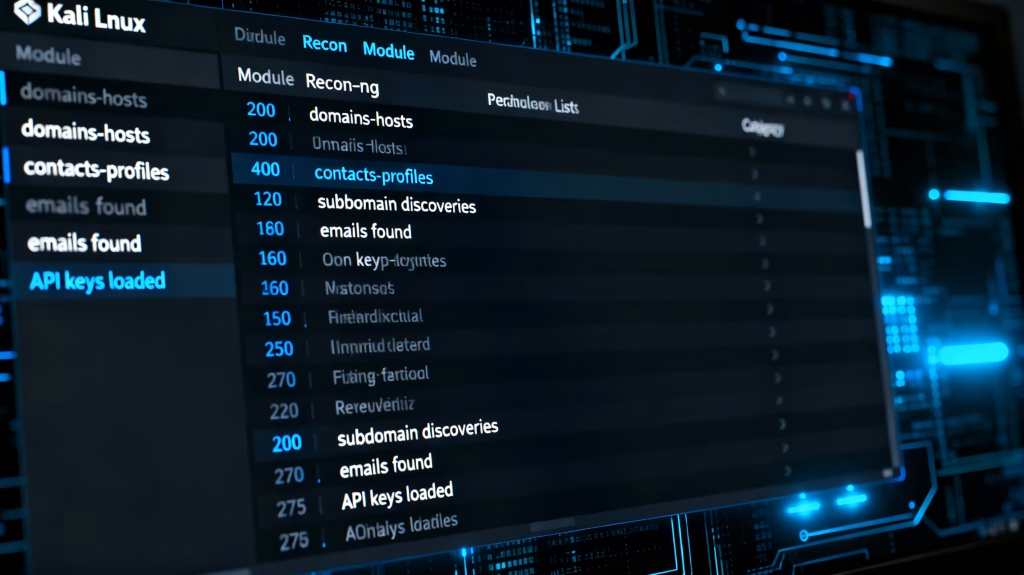
recon-ng module list is your detective’s toolkit for finding out secrets about websites and companies—without doing any hacking.
Think of it like having 200+ specialized search engines in one free program that runs on Kali Linux.
One module uncovers forgotten subdomains, another finds names of employees from public records, and others reveal server locations or security gaps.
You select a target (say, a company website), select a module from the list, and it automatically searches the internet for publicly available clues.
No technical skills needed, just like using Google, but organized in categories that will make anyone look like a pro investigator.
Table of Contents
- What Makes Recon-ng Modules Powerful?
- Recon-ng Module List by Category
- Domains & Hosts Modules (75+)
- Contacts & Profiles Modules
- Exploitation & Reporting Modules
- How to Use Recon-ng Module List
- API Keys for Premium Modules
- Workspaces with Module Management
- Common Module Issues Fixed
- Master Your Recon-ng Module List
- Frequently Asked Questions
What Makes Recon-ng Modules Powerful?
Recon-ng module list turns a simple Python framework into the most versatile OSINT powerhouse in Kali Linux.
Open recon-ng, and run the command modules search-you will find 200+ modules ready for passive/active reconnaissance.
Each module targets a particular intelligence: subdomains, emails, hosts, profiles, vulnerabilities, and many more.
Marketplace install all will populate your recon-ng module list with everything from Shodan queries to LinkedIn scrapers.
This tutorial walks through each category, with examples of actual commands and the modules that provide the most value.
No fluff, just the recon-ng module list you need to dominate OSINT workflows.
Recon-ng Module List by Category
Recon-ng offers modules grouped into logical categories for efficient reconnaissance.
Use modules search category_name to instantly filter your list of recon-ng modules.
Here are the 8 major categories dominating the recon-ng module list:
- recon/domains-hosts – 75+ modules for domain discovery
- recon/contacts-profiles – People and social media intel
- recon/locations-pushpins – Geolocation data extraction
- recon/companies-multi – Corporate intelligence gathering
- exploits/* – Vulnerability identification modules
- reporting/* – Export and documentation tools
- import/* – Data ingestion modules
- discover/* – Content discovery utilities
Each category has specialized recon-ng module list entries for targeted intelligence.
Domains & Hosts Modules (75+)
Top Subdomain Enumeration Modules
The Domains-hosts category dominates the recon-ng module list with subdomain brute-forcing powerhouses.
recon/domains-hosts/brute_hosts tests 30,000+ permutations against your target domain.
Load it: modules load recon/domains-hosts/brute_hosts
Set source: options set SOURCE example.com
Run: run – watch live subdomain discoveries populate your database.
recon/domains-hosts/shodan_hostname Queries Shodan for hostnames affiliated with your target.
Requires Shodan API key, but delivers cloud-hosted subdomains others miss.
IP Range and ASN Modules
recon/domains-hosts/resolve transforms discovered domains into live IP addresses.
recon/domains-hosts/bing_ip scraps Bing for IP:port combinations revealing services.
These are the recon-ng module list gems chained perfectly: subdomains → IPs → open ports.
Pro tip: Pipe results through recon/domains-hosts/google_site_web for indexed page intel.
Contacts & Profiles Modules
The Contact and Profile Modules of Recon-ng are in the top tier for Human Intelligence within their Category Contacts and Profiles.
The recon/contacts-profiles/zoominfo_mentions module pulls employee names from a company’s corporate webpage.
The recon/profiles-profiles/twitter_mentions module searches for a particular person’s Twitter handle who has tweeted or mentioned the Company.
The recon/contact-profiles/identifi_people module can be chained to collect employee information from LinkedIn.
Recon-ng has Google dorking modules that allow for the discovery of compromised accounts with exposed login credentials, such as the recon/contacts-emails/google_ghacks module.
These modules will automatically compile an entire database of people’s information, complete with Employee Directory Reports that can be exported as a CSV file for use by clients.
Exploitation & Reporting Modules
Vulnerability Discovery Modules
Exploits category in recon-ng module list identifies vulnerable hosts automatically.
exploits/wordpress/plugins fingerprints WordPress installations and known vulns.
recon/companies-multi/whois_miner extracts ASN ownership for infrastructure mapping.
Reporting Powerhouse
Reporting modules transform raw recon-ng module list data into professional deliverables.
reporting/html generates styled HTML reports with graphs and timelines.
reporting/json outputs machine-readable intelligence for SIEM integration.
reporting/panel creates database-backed web dashboards of your findings.
How to Use Recon-ng Module List
- Accessing the Recon-ng framework.
- Set up workspaces for the target project by creating a workspace for your project.
- Use the recon-ng search function to find and browse the recon-ng module list
- Find and load the recon/ng domains/hosts/brute_hosts module
- Provide optics to the module to specify your target
- Use the ‘Run’ command to populate the database.
- Review your collected intelligence by using the ‘Show’ command: hosts
In order to achieve a fuller understanding of the capabilities of all recon-ng modules, repeat this process for each module within the recon-ng framework.
For example the following is a sample complete workflow:
$ recon-ng
[ver. 5.x] $ workspaces create pentest2026
[ver. 5.x(pentest2026)] $ modules load recon/domains-hosts/brute_hosts
[ver. 5.x(pentest2026)] $ options set SOURCE target.com
[ver. 5.x(pentest2026)] $ run
[*] No results
[ver. 5.x(pentest2026)] $ modules load recon/domains-hosts/shodan_hostname
[ver. 5.x(pentest2026)] $ run
[+] 127.0.0.1:target.com
API Keys to Access Premium Recon-ng Automatically Generated Data
To access a substantial number of premium modules on recon-ng, API keys and accounts with third party data providers are required to utilize external open-source intelligence data.
Using “keys add shodan_api YOUR_SHODAN_KEY” unlocks more than 20 different Shodan modules that utilize Shodan data.
Using “keys add censys_api_id YOUR_ID” unlocks the Censys Certificate Transparency API and unlocks the use of Censys’ Certificate Transparency data.
Using “keys add github_api YOUR_TOKEN” unlocks the GitHub repository discovery modules and enables the use of GitHub’s API.
“keys list” will show you all of the keys that are currently loaded.
While the free tier is great for learning about recon-ng, the paid tier allows you to scale your use of recon-ng.
Pro tip: when running multiple recon-ng module runs utilize multiple different API keys.
Utilizing Workspaces and Module Management
Workspaces greatly benefit your organization of your recon-ng modules.
You can view all your active projects in workspaces list.
Switching workspaces with “workspaces select pentest2026” allows you to quickly switch from one workspace to the other.
Each workspace retains its own separable database for your recon-ng module data.
To switch back to the module browser use the “back” option.
In addition, the persistence of the module database allows you to resume off of the same last run point.
Fixing Common Issues with Modules
What if no modules were located? Simply run “marketplace install all” to install any modules that are listed in the merchtree as of this day.
What if you encountered SSL errors while running your modules? Run “pip3 install -U certifi requests[security]”
What if you encountered issues with dependencies that some of the modules depend on being available for the modules to run? Simply run “pip3 install -r REQUIREMENTS”
What if you encountered API rate limiting while utilizing your API keys? You can use the “keys add backup_key ALTERNATE_KEY” command to add a second key to utilize during these events.
In addition, “marketplace update” will restore the complete module list immediately.
Master Your Recon-ng Module List
There are over two hundred of the specialized intelligence gatherers located in the Recon-ng Module List.Master Domains-Hosts info will provide Infrastructure Mapping.
Dominate a Contacts-Profiles Module for Human Intelligence.
Use Reporting Modules for professional deliverables.
Complex engagements can be organized flawlessly with recon-ng’s Workspace function.
API Keys give access to the premium capabilities of recon-ng’s Module List.
Start with the Marketplace Install all and create the most powerful OSINT work flows imaginable.
Your Recon-ng Module List is waiting for you to launch Kali and dominate reconnaissance.
Frequently Asked Questions
What is the number of modules in recon-ng Module List?
Over 200 modules will be installed when you complete the installation of all modules from the Marketplace module list.
Which Category has the Most Modules in recon-ng Module List?
The recon/domains-hosts category has over 75 modules; it is the most Modules Category.
Where Do I View the Entire List of Recon-ng Modules?
To see the complete list of modules in your recon-ng Module List, run the following command: modules search .
Do All Entries in Recon-ng Module List Require API Keys?
About Half of the Modules in the recon-ng module list require API keys to run; the other modules operate without requiring any credentials.
How Can I Install the Modules I Am Missing from My Recon-ng Module List?
Run the marketplace install all command within recon-ng to install all available modules for your system.
Can I Search by Keyword In the Recon-ng Module List?
Yes, you can search for modules that contain a specific keyword by running the modules search subdomain filter command within recon-ng.
What Branch of the Recon-ng Module List is The Best to Use When Searching for Subdomains?
The recon/domains-hosts/brute_hosts and shodan_hostname modules within recon-ng Module List are the best two to use when searching for subdomains.
How Can I Export Recon-ng Module List Intelligence Results?
You can export your recon-ng Module List Intelligence results using the report/html or report/csv modules.
Can I use windows to view recon-ng module lists?
Recon-ng module lists were developed for Linux operating systems, but due to issues with dependencies, the degree to which recon-ng will work on Windows will be very limited.
How do I update the recon-ng Module List?
In order to keep the recon-ng module list fresh, users should run the marketplace update command as often as possible.
Can I delete modules from the recon-ng Module List?
You can delete unwanted entries from your recon-ng Module List by using the marketplace remove command followed by the name of the module.
Which modules in the recon-ng Module List will require Access to the Shodan API?
The recon-ng Module List has over 20 modules that will require Access to the Shodan API, like the shodan_hostname and shodan_host modules.
How can I sort my recon-ng Module List by workspace?
Workspaces within recon-ng are used to separate recon-ng Module List databases; you create a new workspace with the workspaces create command and the workspace name (Project Name).
Are recon-ng Module Modules Safe?
All recon-ng Module List modules within the marketplace are Open Source Projects and therefore will be reviewed by the Community before release to the public for safety.
How do I fix the error “No Modules” on the recon-ng Module?
If this error occurs, it is because the marketplace was never initialized. You can restore your recon-ng Module List by running the marketplace install all command.
What recon-ng Modules are best for Bug Hunting?
Brute_hosts, shodan_hostname, and google_site_web are among the top recon-ng Module used by those participating in Bug Bounties.
Can I import Nmap Results into the recon-ng Module?
Yes, the import/nmap module allows you to take XML output from Nmap and import it into the recon-ng Module List databases.
In order to see the options for each module in the recon-ng list, load a module and show options, which gives all the parameters associated with that specific module.
Recon-ng supports the creation of your own modules through the Python API structure built into the framework.


