
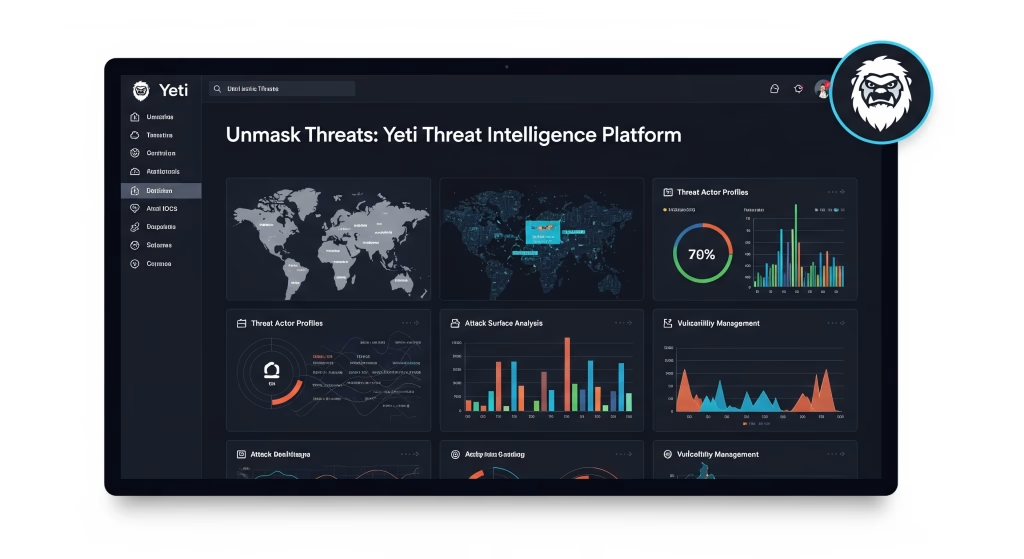
The Yeti Threat Intelligence Platform serves as a powerful, open-source solution designed to empower cybersecurity professionals by centralizing, enriching, and correlating vast amounts of threat data.
In today’s dynamic threat landscape, manually tracking and connecting disparate pieces of intelligence is an unsustainable endeavor. Yeti steps in as a formidable ally, offering a flexible and automated framework to manage Indicators of Compromise (IOCs), understand threat actor behaviors, and automate intelligence workflows.
This guide will dive deep into Yeti’s core concepts, revealing how its unique data model, powerful linking capabilities, and extensive automation features can transform your approach to threat intelligence. Whether you are a security analyst, a DevOps engineer, or a Linux enthusiast eager to bolster your defenses, understanding Yeti is a crucial step towards proactive cybersecurity.
Table of Contents
- Introduction to the Yeti Threat Intelligence Platform
- Yeti’s Core Data Model: Objects, Links, and Tags
- Indicators: Unmasking Threats with Rules
- The Automation Advantage: Unleashing Yeti’s Full Potential
- Interacting with Yeti: The Robust API
- Under the Hood: Technical Details and Concurrency
- Plugin Configuration: Extending Yeti’s Reach
- Conclusion: Empowering Your Threat Intelligence Journey with Yeti
- Frequently Asked Questions about the Yeti Threat Intelligence Platform
Introduction to the Yeti Threat Intelligence Platform
The Yeti Threat Intelligence Platform is an open-source marvel designed to simplify and supercharge the way cybersecurity professionals manage and leverage threat intelligence.
In a world where new threats emerge every second, relying on disparate sources and manual correlation is a losing battle.
Yeti provides a centralized hub where you can store, link, and analyze various forms of intelligence, from raw technical indicators to complex threat actor profiles.
Its strength lies in its flexible data model and its powerful automation capabilities, enabling teams to build a comprehensive “threat graph” that reveals the intricate relationships between different elements of a cyberattack.
By automating the ingestion, enrichment, and correlation of data, Yeti frees up valuable analyst time, allowing them to focus on proactive defense rather than reactive data wrangling.
Yeti’s Core Data Model: Objects, Links, and Tags
At the heart of the Yeti Threat Intelligence Platform lies a meticulously designed data model, built for flexibility and comprehensive relationship mapping.
This model organizes all incoming intelligence into distinct categories: Objects, Links, and Tags.
Understanding these fundamental building blocks is paramount to effectively utilizing Yeti for your threat intelligence needs.
Yeti Objects: Observables, Entities, and Indicators
Yeti categorizes all pieces of intelligence into three primary types of objects, each serving a unique purpose in constructing your threat landscape.
First, we have Observables. These are the concrete, technical elements of a cyber threat that you can directly observe or measure.
Think of them as the raw clues left behind by an attacker. Examples include suspicious URLs, malicious IP addresses, unusual hostnames, specific user-agent strings, or even common text strings found in attack campaigns.
These are the granular pieces of data that form the foundation of your intelligence.
Second, we encounter Entities. Entities represent the tactical or strategic elements that provide context to the observables. They describe the “who,” “what,” and “why” behind the threats.
Common examples of entities include specific threat actors (like “Mustang Panda”), ongoing attack campaigns, identified malware families (such as “CobaltStrike”), or even vulnerabilities. Entities help you categorize and understand the bigger picture of an attack.
Finally, there are Indicators. Indicators are high-level objects that act as rules or patterns. Their primary function is to “match” Observables that conform to a specific pattern and then associate those matched observables with relevant Entities.
They bridge the gap between raw data and actionable intelligence, helping analysts quickly identify new instances of known threats.
Forging Connections: The Power of Links
The true power of the Yeti Threat Intelligence Platform isn’t just in categorizing data; it’s in connecting it.
Yeti allows any object within its model to be explicitly linked to any other object through its robust API. These links represent the relationships between different pieces of intelligence, forming what Yeti calls the “Threat Graph.”
Imagine being able to visually connect a specific malware object to a URL from which it was distributed, and then link that URL back to the threat actor responsible for the campaign.
For instance, an entity like “Mustang Panda” (an Actor) might be linked to “CobaltStrike” (a Malware) with a “uses” relationship. That “CobaltStrike” might then be linked to `hxxps://45.154.14[.]235/PotPlayer.exe` (a URL Observable) with a “dropped from” link, and this URL in turn links to `45.154.14[.]235` (an IP Observable) with a “controls” or “contains” relationship.
This dynamic graph allows for deep contextualization of threats, enabling analysts to trace attack paths and understand adversary infrastructure. While the model is highly flexible regarding how you define these links, Yeti provides recommendations for best practices to maintain a coherent and useful threat graph.
Organizing Intelligence with Tags
While explicit links are powerful, Yeti introduces Tags as an incredibly flexible and intuitive way to build relationships, especially from the user interface.
A significant portion of Yeti’s functionality revolves around tags, which can be applied to any Observable or Entity object. When multiple objects are assigned the same tag, they become implicitly linked through what Yeti calls the “Tag Graph.”
This offers a straightforward method to group related items without needing to define explicit, named links every time.
Let’s revisit our “Mustang Panda” example. While an explicit “uses” link exists between the threat actor and the malware, the connection between “Mustang Panda” (the Entity) and a specific Observable like `hxxps://45.154.14[.]235/PotPlayer.exe` (the URL) might not be immediately obvious through direct links alone.
However, if you tag both the “Mustang Panda” Entity and the `hxxps://45.154.14[.]235/PotPlayer.exe` Observable with the tag “MustangPanda,” Yeti automatically creates a conceptual link in the database.
This means your threat graph would visually expand to show these relationships via the common tag, greatly simplifying the process of building and navigating complex intelligence connections from within the user interface. It’s an incredibly efficient way to add context and discover latent relationships within your data.
Indicators: Unmasking Threats with Rules
As the third core category of objects in the Yeti Threat Intelligence Platform, Indicators serve a crucial role in operationalizing your threat intelligence.
Unlike Observables (raw data) or Entities (contextual elements), Indicators are high-level, actionable objects designed to “match” against incoming Observables. When an observable triggers an Indicator, it signifies a potential threat, and the Indicator can then suggest or automatically apply specific tags to that observable.
These Indicators are also intricately linked to other Entities through the overarching Threat Graph, providing a comprehensive view of related threats.
Consider an example: you might create an Indicator of type `regex` named “MustangPanda CobaltStrike URL.”
This Indicator could have a pattern like `[0-9]{1,3}/PotPlayer.exe$` designed to identify specific URLs associated with that threat.
Crucially, this Indicator would also include `relevant_tags` such as `[“loader”, “mustangpanda”]`.
{
  "name": "MustangPanda CobaltStrike URL",
  "type": "regex",
  "pattern": "[0-9]{1,3}/PotPlayer.exe$",
  "relevant_tags": ["loader", "mustangpanda"]
}
When a new observable (e.g., `hxxps://192.168.1.100/PotPlayer.exe`) is submitted through Yeti’s match function (often found on the homepage of the web UI), this Indicator will be triggered.
The `relevant_tags` (e.g., “loader” and “mustangpanda”) will then be suggested to the analyst for application to that observable.
While this process does not directly create a link between the Indicator and the Observable, if the suggested `relevant_tag` (like “mustangpanda”) matches a tag associated with a specific Entity (e.g., the “Mustang Panda” threat actor), then the observable will be implicitly linked to that Entity through the powerful Tag Graph.
This mechanism empowers analysts to quickly classify and contextualize new threats as they emerge, streamlining the intelligence lifecycle.
The Automation Advantage: Unleashing Yeti’s Full Potential
While Yeti’s user interface is intuitive, the true strength and scalability of the Yeti Threat Intelligence Platform are fully realized through its robust automation capabilities.
In a world of rapidly evolving threats, manual processing of observables and intelligence simply isn’t feasible for large volumes of data.
Yeti is built from the ground up to thrive on automation, allowing you to integrate it seamlessly into your existing security operations.
Automated Observable Matching
Though the web UI allows for manual submission and matching of text-based observables against `Regex` and `Yara` indicators, the most efficient and powerful way to handle observable matching is through automation.
When you leverage Yeti’s API and integrate it with other systems, a world of possibilities opens up.
For instance, you can utilize `Query` or `Sigma` indicators, which are specifically designed for automated use with external systems.
Imagine having a `Query` indicator applied to a Timesketch sketch (a timeline analysis tool). This indicator could automatically extract new observables from matching events within Timesketch.
These newly extracted observables could then be programmatically added to Yeti, instantly tagged with the `relevant_tags` defined by the indicator, or even with tags associated with a relevant entity.
Furthermore, this automation allows you to tag the Timesketch events themselves in the same way, creating a feedback loop that enriches both systems simultaneously. This level of automation ensures that your threat intelligence is always up-to-date, deeply contextualized, and immediately actionable, without constant manual intervention.
Yeti’s Automation Tasks: Analytics, Feeds, and Exports
The core of Yeti’s powerful automation capabilities lies in its Tasks system. These are Python scripts that can be configured to run on a set schedule or triggered on-demand via the API.
Tasks are categorized into three main types, each serving a distinct automation purpose within the Yeti Threat Intelligence Platform.
First, we have Analytics. These are Python scripts loaded by Yeti at startup, designed to process existing observables. An Analytics task typically takes an observable as its input and either enriches it with additional data or extracts new, related observables from it.
For example, a `process_url.py` analytic might take a URL observable and automatically extract associated IP addresses or hostnames found within it. Another powerful example is an analytic like `virustotal_api.py`, which would enrich an observable with comprehensive VirusTotal data, and crucially, add any newly discovered related observables into Yeti’s database.
The real strength here is the ease with which you can create and plug in your own private analytics, tailoring Yeti’s enrichment capabilities to your specific intelligence requirements.
Next are Feeds. Also Python scripts loaded at system start, Feeds are exactly what their name suggests: they regularly check external sources of information (like public threat intelligence feeds or private data sources) and automatically incorporate any new observables they discover into Yeti’s database.
This ensures a constant, automated stream of fresh intelligence flowing into your platform. Just like Analytics, adding your own custom Feeds to Yeti is incredibly straightforward, often requiring just a simple Python script dropped into the correct directory.
Finally, there are Exports. Exports are designed to select a specific subset of observables based on criteria you define (such as tags to include, exclude, or ignore) and then render them to disk using a Jinja template.
This process isn’t done in real-time, primarily because it can be a resource-intensive operation, especially when dealing with larger datasets.
Unlike Analytics or Feeds, Exports often don’t require much unique logic in their code, making it possible to create new ones directly from the UI for greater convenience.
The flexibility of Yeti’s Task system means you can design highly sophisticated and automated intelligence pipelines, combining feeds, analytics, and exports to meet virtually any operational need. Nothing prevents you from creating a feed that also enriches existing observables, or an analytic that pulls down external data used for processing, showcasing the truly custom automation capabilities.
Interacting with Yeti: The Robust API
The Yeti Threat Intelligence Platform isn’t just a powerful standalone application; it’s designed to be a seamlessly integrated component of your broader security ecosystem, thanks to its fully capable REST API.
This API unlocks Yeti’s full potential, allowing you to programmatically interact with the platform, automate workflows, and integrate with other tools and systems.
Auto-generated API Documentation
One of the most user-friendly features of Yeti’s API is its auto-generated documentation.
You can typically find this comprehensive documentation at `http:///docs` once your Yeti instance is up and running.
This provides real-time, interactive documentation of all available API endpoints, their parameters, and expected responses, making it incredibly easy for developers and automation engineers to understand and utilize the API effectively.
Secure API Authentication
To ensure secure interactions, every user within Yeti has a unique API key.
This API key acts as a refresh token, which is then used to obtain a JWT (JSON Web Token) access token, providing a robust authentication mechanism.
Making authenticated requests to the API is a straightforward, three-step process:
- First, you need to obtain the API key for the specific user you wish to authenticate as within Yeti.
- Next, perform a `POST` request to the `/api/v2/auth/api-token` endpoint. You’ll include your API key in the `x-yeti-apikey` header of this request.
- Finally, grab the `access_token` from the JSON response. This access token is your golden ticket; you’ll then reuse it in the `Authorization` header (as a Bearer token) for all subsequent authenticated requests to the API.
Here’s a Python code example demonstrating this authentication flow:
import requests

# Replace this with your actual API key for Yeti
apikey = "YOUR_YETI_API_KEY_HERE"

# First, send a POST request to get the access token using your API key
response = requests.post(
    "http://localhost:8000/api/v2/auth/api-token",
    headers={"x-yeti-apikey": apikey},
)

# Extract the access token from the JSON response
access_token = response.json().get("access_token")

# Now, use this access token in the Authorization header for subsequent API calls
# This example fetches details about the authenticated user
response = requests.get(
    "http://localhost:8000/api/v2/auth/me",
    headers={"authorization": f"Bearer {access_token}"},
)

# Print the response from the authenticated API call
print("Response from authenticated API call:", response.json())

# You can also use a requests Session object for convenience
# This avoids passing the authorization header repeatedly
yeti_session = requests.Session()
yeti_session.headers.update({"authorization": f"Bearer {access_token}"})

# Now use the session for subsequent calls
response = yeti_session.get("http://localhost:8000/api/v2/auth/me")
print("Response via requests Session object:", response.json())
Effortless Observable Importing
Yeti’s API provides convenient endpoints specifically designed for easily importing observables into the platform, facilitating automated ingestion from various sources.
To import observables from plain text, where each observable is on a new line, you can use the `POST` request to `/api/v2/observables/import/text`.
You simply provide the text content and an array of tags to apply to the imported observables.
import requests

observables_text = """1.1.1[.]1
8.8.8.8
tomchop[.]me
google.com
http://google.com/
http://tomchop[.]me/
d41d8cd98f00b204e9800998ecf8427e""" # Example observables as a multi-line string

# Send a POST request to import the observables with specific tags
requests.post("http://localhost:8000/api/v2/observables/import/text", json={"text": observables_text, "tags": ["tag1", "tag2"]})
For importing observables directly from a file, a `POST` request to `/api/v2/observables/import/file` is available.
This allows you to upload a file (e.g., a `.txt` file) containing one observable per line, again with the option to tag them.
import requests
import os

# Define the path to your file containing observables
path_to_file = "path/to/your/observables.txt"

# Open the file in binary read mode and send it as part of a POST request
with open(path_to_file, "rb") as file:
    requests.post("http://localhost:8000/api/v2/observables/import/file", files={"file": file}, data={"tags": ["tag1", "tag2"]})
Finally, you can also import observables directly from a URL that hosts text content, using a `POST` request to `/api/v2/observables/import/text` (note: the endpoint name can be misleading as it handles URLs for text import).
You provide the URL and the desired tags.
import requests

# Send a POST request, providing the URL from which to fetch observables
requests.post("http://localhost:8000/api/v2/observables/import/text", json={"url": "https://example.com/observables.txt", "tags": ["tag1", "tag2"]})
These robust API endpoints make it incredibly flexible to feed intelligence into the Yeti Threat Intelligence Platform from a wide array of sources, perfectly complementing its automation capabilities.
Under the Hood: Technical Details and Concurrency
The Yeti Threat Intelligence Platform is built with modern web technologies, specifically leveraging `uvicorn` workers and the `FastAPI` framework to handle concurrency and provide a high-performance API.
Understanding these underlying technical choices helps in deploying and optimizing your Yeti instance.
FastAPI, by default, supports asynchronous programming through the use of `async`/`await` syntax for its path operation functions. This allows for efficient handling of concurrent requests, especially for I/O-bound operations that don’t block the main event loop.
However, when dealing with third-party libraries that communicate with external systems (like databases, other APIs, or the file system) and do not natively support asynchronous calls (which is common for many database libraries, including the backend calls to ArangoDB in Yeti), FastAPI employs a clever mechanism.
If a path operation function is declared using a normal `def` instead of `async def`, FastAPI intelligently runs that blocking call in an external thread pool. This thread pool is then awaited, preventing it from blocking the main server process.
This design allows Yeti to seamlessly integrate blocking database calls without sacrificing overall API responsiveness. Some path operation functions within Yeti might still be `async` if they primarily call other asynchronous functions or perform non-time-consuming operations that don’t involve blocking I/O calls to ArangoDB.
This architectural choice ensures that the Yeti Threat Intelligence Platform remains performant and scalable, even when handling complex data operations.
Plugin Configuration: Extending Yeti’s Reach
The extensibility of the Yeti Threat Intelligence Platform is significantly enhanced by its plugin architecture, allowing users to tailor its capabilities through various configuration options.
Beyond the core functionalities, Yeti provides detailed documentation on how to configure different plugins, enabling integration with external services and specialized workflows.
For instance, there are specific configuration options for the Github Monitor plugin, which likely allows Yeti to track and ingest threat intelligence directly from GitHub repositories.
Similarly, the documentation for File Storage Clients & Export configuration details how to set up and manage exports using various file storage backends.
This flexibility in plugin configuration means that the Yeti Threat Intelligence Platform can be adapted to almost any operational environment, whether you’re pulling data from specific sources or pushing curated intelligence to particular storage solutions.
It underscores Yeti’s commitment to being a highly adaptable and integrated component of a comprehensive cybersecurity defense strategy.
Conclusion: Empowering Your Threat Intelligence Journey with Yeti
The Yeti Threat Intelligence Platform emerges as a critical tool in the modern cybersecurity arsenal, providing a sophisticated yet accessible framework for managing and operationalizing threat intelligence.
Its robust data model, centered around Observables, Entities, and Indicators, provides a structured way to understand the complex relationships within the “Threat Graph.”
The seamless linking capabilities, augmented by flexible tagging, empower analysts to build rich, contextual intelligence that goes beyond simple data points.
Crucially, Yeti’s powerful automation features, driven by its versatile Task system (Analytics, Feeds, and Exports), allow organizations to ingest, enrich, and disseminate intelligence at scale, significantly reducing manual effort and accelerating response times.
Furthermore, the comprehensive REST API ensures that Yeti can be deeply integrated into existing security operations centers (SOCs), SIEMs, and SOAR platforms, transforming it from a standalone tool into a central nervous system for threat intelligence.
Whether you are a seasoned threat hunter, a security engineer, or someone building robust defensive systems on Linux, the Yeti Threat Intelligence Platform offers the flexibility, power, and automation necessary to stay ahead of an ever-evolving threat landscape.
Embrace Yeti to streamline your intelligence operations and enhance your organization’s cybersecurity posture.
Frequently Asked Questions about the Yeti Threat Intelligence Platform
- 1. What exactly is the Yeti Threat Intelligence Platform?
- The Yeti Threat Intelligence Platform is an open-source solution designed to collect, store, link, and analyze various types of cybersecurity threat intelligence, helping organizations understand and respond to threats more effectively.
- 2. Is the Yeti Threat Intelligence Platform free to use?
- Yes, the Yeti Threat Intelligence Platform is open-source and free to use, making it an accessible option for organizations and individuals looking to enhance their threat intelligence capabilities.
- 3. What are the three main categories of objects in the Yeti Threat Intelligence Platform?
- The three main categories are Observables (technical elements like IPs, URLs), Entities (tactical elements like threat actors, malware), and Indicators (rules for matching observables and linking to entities within the Yeti Threat Intelligence Platform).
- 4. How does the Yeti Threat Intelligence Platform represent relationships between data?
- Yeti uses “Links” to explicitly connect objects, forming a “Threat Graph,” and “Tags” for more flexible, implicit relationship building through a “Tag Graph,” both vital for the Yeti Threat Intelligence Platform’s comprehensive view.
- 5. What are “Indicators” in the Yeti Threat Intelligence Platform?
- Indicators are high-level rules or patterns that match observables and suggest or apply relevant tags, linking them to entities and aiding in threat identification within the Yeti Threat Intelligence Platform.
- 6. Can I automate tasks in the Yeti Threat Intelligence Platform?
- Absolutely! Automation is a core strength of the Yeti Threat Intelligence Platform, primarily through its robust API and powerful Python-based Tasks (Analytics, Feeds, and Exports).
- 7. What are “Analytics” tasks in the Yeti Threat Intelligence Platform?
- Analytics are Python scripts that take an observable, enrich it with additional data, or extract new observables from it, such as fetching VirusTotal data for an IP, directly within the Yeti Threat Intelligence Platform.
- 8. What are “Feeds” in the context of the Yeti Threat Intelligence Platform?
- Feeds are Python scripts that regularly check external sources (like public intelligence feeds) and automatically import new observables into the Yeti Threat Intelligence Platform’s database.
- 9. What are “Exports” used for in the Yeti Threat Intelligence Platform?
- Exports select a subset of observables based on criteria and render them to disk, often for sharing or further analysis, using templates within the Yeti Threat Intelligence Platform.
- 10. Does the Yeti Threat Intelligence Platform have an API?
- Yes, the Yeti Threat Intelligence Platform features a fully capable REST API, allowing programmatic interaction and seamless integration with other security tools and systems.
- 11. How do I authenticate with the Yeti Threat Intelligence Platform API?
- You authenticate with the Yeti Threat Intelligence Platform API using an API key to obtain a JWT access token, which then needs to be included in the Authorization header of subsequent requests.
- 12. Can I import observables from a file into the Yeti Threat Intelligence Platform?
- Yes, the Yeti Threat Intelligence Platform’s API provides convenient endpoints to import observables from text, files, or even directly from URLs containing observable data.
- 13. What is the “Threat Graph” in the Yeti Threat Intelligence Platform?
- The “Threat Graph” is the visual representation of all objects and their explicit links, illustrating the complex relationships between different pieces of threat intelligence within the Yeti Threat Intelligence Platform.
- 14. How does Yeti handle concurrency in its API?
- The Yeti Threat Intelligence Platform handles concurrency by leveraging Uvicorn workers and FastAPI, running blocking I/O operations (like database calls) in a separate thread pool to maintain responsiveness.
- 15. Can I create custom Analyzers for the Yeti Threat Intelligence Platform?
- Yes, the Yeti Threat Intelligence Platform’s architecture allows you to easily create and plug in your own custom Python-based Analyzers to meet specific intelligence needs and expand its capabilities.
- 16. Is the Yeti Threat Intelligence Platform suitable for small teams?
- Yes, its open-source nature and flexible deployment options (including Docker) make the Yeti Threat Intelligence Platform suitable for teams of varying sizes, from individuals to large SOCs.
- 17. What kind of data can the Yeti Threat Intelligence Platform store?
- The Yeti Threat Intelligence Platform can store various types of data including IPs, URLs, hostnames, file hashes (Observables), as well as information about threat actors, malware, and campaigns (Entities).
- 18. How does the Yeti Threat Intelligence Platform compare to other threat intelligence platforms?
- The Yeti Threat Intelligence Platform excels in modularity, speed, and extensibility for IOC enrichment and automation, complementing tools focused on sharing (like MISP) or graph-based analysis (like OpenCTI).
- 19. Where can I find the documentation for the Yeti Threat Intelligence Platform?
- The auto-generated API documentation for the Yeti Threat Intelligence Platform can typically be found at `http:///docs` once your instance is running.
- 20. What are the benefits of using Tags in the Yeti Threat Intelligence Platform?
- Tags provide a flexible way to group and link related Observables and Entities, simplifying relationship building from the UI and aiding in quick categorization and context establishment within the Yeti Threat Intelligence Platform.
Get ahead in the tech world! Here are more valuable guides to supercharge your knowledge:
How to Use TheHarvester in Kali Linux
Encoder Module in MSFconsole Use Case
Master Linux Cat Command Guide
What is WordPress Theme
Uncover Hidden Subdomains – Best Subdomain Enumeration Tool




Great beat ! I would like to apprentice while you amend your web site, http://www.kayswell.com how could i subscribe for a blog site? The account helped me a acceptable deal. I had been a little bit acquainted of this your broadcast provided bright clear concept
Your articles are extremely helpful to me. Please provide more information! http://www.kayswell.com