
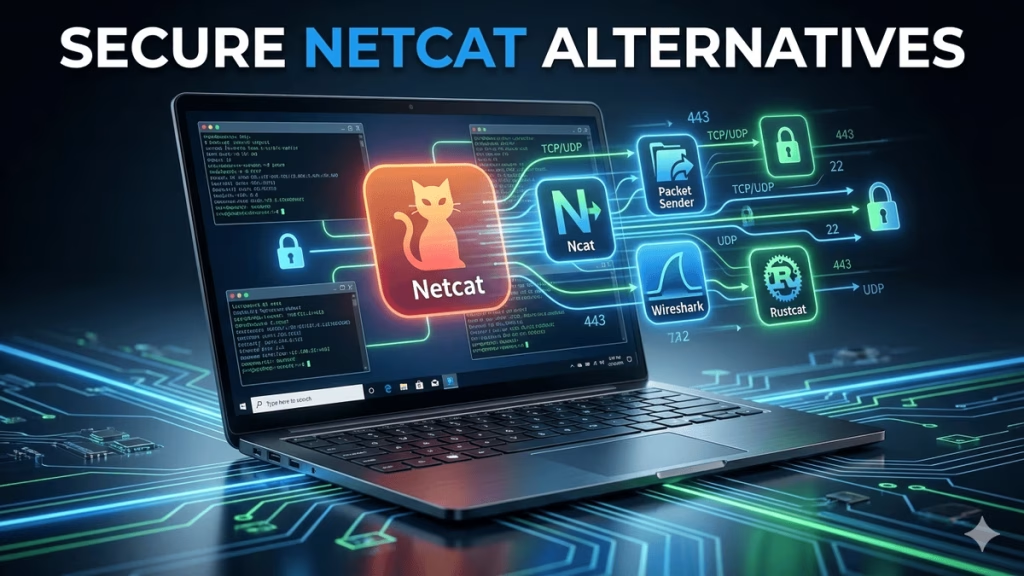
Finding the most effective Netcat alternative Windows tools is essential to achieve security and networking reliability on Windows-based systems. For IT professionals and cybersecurity enthusiasts, a solid substitute to Netcat means that they can have access to the required networking functionalities which are free from any compatibility or security problems that may be encountered with the original Netcat.
With the advancements in network security, a lot of people in the field are now looking for different options that would give them the same flexibility but with better support and less number of false positives from their antivirus software.
The article gives you a selection of next-generation instruments that could be used in place of Netcat on Windows and each of them is characterized by different unique features and different scenarios of utilization.
Table of Contents
- Introduction
- Why Look for a Netcat Alternative for Windows?
- Top Tools to Replace Netcat on Windows
- Feature Comparison: Netcat Alternative for Windows
- How to Choose the Right Netcat Alternative for Windows
- Frequently Asked Questions: Netcat Alternative for Windows
- Conclusion
Introduction
Several times security programs identify an old version of Netcat that is installed on the system and thus, it becomes necessary to find a different tool for a Windows machine.
In fact, more and more companies demand that the instruments should have capabilities equal to those of Netcat and at the same time be compliant with the latest security standards.
With this manual, you will be able to find new network utilities for Windows starting from the ones that only open a port to those that have complex tunneling features.
Why Choose a Netcat Alternative Windows Solution?
Why pick a Netcat alternative for Windows?
- No Antivirus Flags: Netcat alternative Windows tools do not raise any flags for Windows Defender and corporate AV.
- Windows Native Support: Netcat alternative Windows tools are designed for Windows 10/11 without compatibility issues.
- Encryption Built-In: Netcat alternative Windows solutions have automatic TLS/SSL encryption while Netcat is in plain-text.
- Graphical Interface: Netcat alternative Windows tools have GUIs for newbies—no need to memorize command lines.
- Corporate Compliance: Netcat alternative Windows utilities are allowed in regulated industries (finance, healthcare).
- Active Development: Netcat alternative Windows counterparts are getting regular updates as opposed to Netcat versions that are stagnant.
- PowerShell Integration: Netcat alternative Windows tools smoothly interact with Windows PowerShell scripting.
- Firewall Friendly: Netcat alternative Windows tools are not a reason for Windows Firewall to block.
- MSI Installers: Netcat alternative Windows installation files provide enterprise deployment together with silent installation.
- Digital Signatures: Netcat alternative Windows executables have code signatures and are security software trusted.
- IPv6 Native: Netcat alternative Windows tools are compatible with modern IPv6 networks and dual-stack environments.
- Proxy Support: Netcat alternative Windows tools are working behind corporate HTTP/SOCKS proxies without any manual intervention.
- Port Scanners: Netcat alternative Windows tools give visual scanning with output saving.
- Automated Reverse Shells: Netcat alternative Windows tools provide one-click listener setup with payload creation.
- File Transfer GUI: Netcat alternative Windows interfaces allow drag-and-drop file sending/receiving.
- Logging Features: Netcat alternative Windows tools have built-in session logging with timestamps.
- Multi-Protocol: Netcat alternative Windows tools can work with TCP/UDP + HTTP/SOCKS in one tool.
- Process Monitoring: Netcat alternative Windows tools display real-time connection graphs and bandwidth.
- Lightweight Footprint: Netcat alternative Windows tools consume less memory than Netcat + dependencies.
Documentation: Netcat alternative Windows tools come with modern help systems and community support.
Top Netcat Alternative Windows Tools
Ncat

Ncat is a robust, user-friendly utility that can be considered as a dependable Netcat alternative for Windows users. It is a program that establishes communication between machines through a network and thus allows execution of simple operations like sending messages, sharing files, or verifying if a port is open.
In contrast to the instruments of the past, Ncat is equipped with additional safety measures such as encryption to ensure the confidentiality of your data. It is compatible with Windows, Linux, and Mac and does not require any complicated installation procedure—simply execute Ncat and initiate the connection.
Whatever the case is, if it is brief testing, troubleshooting, or secure data transfer, Ncat is a versatile and up-to-date option that can be relied upon for a Netcat alternative Windows. Its easy-to-understand commands provide a seamless experience when switching from standard Netcat while giving you more security and features.
Packet Sender

Packet Sender is an easy-to-use application that offers a visual interface to send custom TCP, UDP, and SSL packets, thus making network testing a simple task that can be done even by a beginner.
As a well-known Netcat alternative that can be used by Windows users, it is a command-line tool replacement that lets users visually generate and dispatch packets without the need for complicated commands.
If you are testing connections, fixing network devices, or even want to simulate encrypted communication, Packet Sender is still your go-to tool as it provides you with a variety of options and easy-to-use controls.
Its user-friendliness and feature-richness are what make it a preferred tool among those who desire a simple yet efficient way to carry out network communication testing on Windows.
Wireshark

Wireshark is an advanced packet analyzer that is mainly acknowledged for its usability in temporarily storing and visually inspecting in a detailed manner the network traffic that happened is a quite powerful tool. It basically can be used for fixing and analyzing network protocols to understand faster what data is exchanged in the network in real time.
In contrast with the instruments that create or send network traffic, Wireshark is about storing and analyzing data for pinpointing the detected network problems or overseeing security. Apart from that, it can operate on various platforms like Windows, where its detailed and easy-to-use interface makes it a tool of choice for both novices and professionals looking for an efficient way to examine network traffic.
In addition, it can be easily replaced by other tools like Ncat, which is a command-line Netcat counterpart that Windows users usually resort to for sending and receiving network data during testing and diagnostics.
Pwncat

Pwncat is a great tool aimed at red teamers and penetration testers that require additional session and shell management capabilities. By providing features such as automation, encrypted communication, and evasion techniques, it is more advanced than typical tools.
So, as a multipurpose Netcat replacement that can be used by Windows users, Pwncat allows scriptable interfaces, persistent connections, and simple operations of bind and reverse shells. The tool’s automation features help to speed up complicated testing tasks, thus it is a perfect choice for security professionals who need more control and want to save time during their engagements.
Rustcat

Rustcat is a modern Netcat alternative that Windows users can depend on. It’s developed with Rust and provides quick, secure, and encrypted connections in a small, simple-to-use package.
It enables features such as command history, tab completion, and multiple connection handling, thus, a great user can be a penetration tester or a network professional. By utilizing Rust’s memory safety, Rustcat’s emphasis on safety and performance thus, decreases the most frequent types of vulnerabilities.
Also, its cross-platform compatibility allows the tool to be used in Windows, Linux, and macOS environments equally well, thus, a reliable and up-to-date way is provided for safe communication over the network and the testing thereof.
SmartSniff

SmartSniff is a straightforward and very easy-to-use instrument intended for live monitoring and recording of TCP/IP network conversations. It can be considered as a handy Windows alternative to the command-line tool Netcat. The tool, without any complicated configuration, fetches and shows the traffic of the network going through the network adapter that you have selected.
SmartSniff displays the details of the packets that are coming and going, thus, helping beginners and professionals to understand the network better. Being a small and portable tool, it requires no installation and runs on different Windows versions, thus, making network monitoring an easy and user-friendly task for people with different levels of expertise.
Ettercap

Ettercap is a great tool that provides live network monitoring, man-in-the-middle attack abilities, and in-depth protocol analysis for complicated network setups. The software can perform both active and passive sniffing, and it is capable of intercepting as well as manipulating network traffic on the go.
As a good replacement for Netcat that users of Windows may want to take into consideration, Ettercap is a tool that penetration testers and security professionals can use to execute ARP poisoning, password capturing, and traffic filtering easily. The power pack features of the tool make it a great source for comprehensive network security and vulnerability assessment in any kind of network whether it is large or small.
ConPty Shell

ConPty Shell is built on the Windows ConPTY API to deliver fixed and user-friendly shell sessions that are aimed at remote management. As a trustworthy tool that Windows users can employ in place of Netcat, it makes the interaction with the terminal very easy by the creation of a pseudo console that takes care of the input and output streams in a very efficient way.
With this method, command-line applications get a modern and high-quality level of performance which is very handy to developers and system administrators when they remotely manage systems as they get more control and are able to respond faster. ConPty Shell’s integration with Windows makes it a great tool for the advanced shell management in Windows environments.
rlwrap

Rlwrap adds readline support to the command line which significantly enhances the user experience when dealing with network listeners.
It can be considered as a beneficial Netcat alternative for Windows users, as it permits functionalities such as command history, line editing, and tab completion, thus making it easier for users to remember and change commands.
Rlwrap is essentially a performance-enhancing tool for those which do not have the built-in input editing feature, thus it makes the work of penetration testers and network professionals more efficient when they have to handle remote shells or network connections.
tcpflow

Tcpflow records and rebuilds the data streams that are exchanged via TCP connections, thus simplifying the process of protocol analysis and the correction of network errors.
In the case of a robust Netcat alternative that Windows users can opt for, Tcpflow segregates every interaction into different files for a thorough review at a later time.
This software is instrumental for network professionals as it allows them to grasp the data flows and carry out forensic analysis by giving them the actual content of the TCP sessions instead of just the summaries of the packets.
Moreover, its feature to deal with retransmissions and packets that are not in order guarantees that the reconstruction is precise and thus, it is very helpful for the resolution of difficult network traffic and protocol situations.
Feature Comparison: Netcat Alternative Windows Tools
| Tool | Send/Receive Data | Packet Analysis | Graphical Interface | Session Management | Encryption |
|---|---|---|---|---|---|
| Ncat | Yes | No | No | Yes | Yes |
| Packet Sender | Yes | No | Yes | No | Yes |
| Wireshark | No | Yes | Yes | No | No |
| Pwncat | Yes | No | No | Yes | Yes |
| Rustcat | Yes | No | No | Yes | Yes |
| SmartSniff | No | Yes | Yes | No | No |
| Ettercap | No | Yes | Yes | Yes | No |
| ConPty Shell | Yes | No | No | Yes | No |
| rlwrap | No | No | No | No | No |
| tcpflow | No | Yes | No | No | No |
How to Select the Best Netcat Alternative Windows Tool
- Basic Port Listening/Scanning: Just Ncat would do. It uses Netcat syntax exactly, so there is no need to learn anything new, it is safe for Windows Defender.
- Graphical File Transfer: Go with Packet Sender. It is a drag-drop GUI, has visual progress bars, and is very easy for a beginner to use.
- Encrypted Reverse Shells: Pwncat-cs is the right choice. It has built-in encryption + evasion, is perfect for red team ops.
- Corporate Network Testing: RustScan + Ncat combo is the way to go. It is stealthy, firewall-friendly, MSI installer ready.
- Packet Capture + Analysis: The best choice will be Wireshark. It allows digging into the protocol, has filters, can do professional reporting.
- Quick Protocol Testing: SmartSniff will be your choice. It is lightweight, does not require installation, provides instant TCP/UDP monitoring.
- PowerShell Automation: PowerShell Test-NetConnection will be the right tool. It is a native Windows command, scriptable, no downloads are required.
- Advanced Tunneling: socat should be your choice. It is like Netcat but on steroids, supports multi-protocol, proxy chaining.
- GUI Port Forwarding: ngrok will be your choice. It provides instant public tunnels, free tier HTTPS, simple dashboard.
- Beginner Learning Tool: Netcat for Windows (ncat.exe) will be your choice. It is an official Nmap project, trusted, documented.
20 FAQs: Netcat Alternative Windows Solutions
- 1. What’s the easiest Netcat alternative Windows for beginners?
Packet Sender brings an user-friendly drag-drop GUI for port testing without command line complexity. - 2. Does Ncat replace Netcat commands on Windows?
Ncat can handle the same commands as Netcat and also supports encrypted communication, so it’s a perfect Windows replacement that can be used without changing the existing commands. - 3. How does Wireshark solve Netcat Windows limitations?
Wireshark interactively records and visualizes all kinds of network traffic that Netcat is incapable of handling. - 4. Which Netcat alternative Windows provides encryption?
Both Rustcat and Ncat are two very good alternatives to WireShark when it comes to encrypted TLS/SSL connections. - 5. Is there a free open-source Netcat alternative Windows?
Ncat, Rustcat, and Packet Sender are the three big names in Windows networking that are not only free but also open-source solutions. - 6. What’s best for PowerShell automation on Windows?
Native Windows scripting is provided by PowerShell Test-NetConnection without the need for any external downloads. - 7. How to avoid antivirus detection with Netcat alternatives?
Windows Defender trusts the digital signatures of Ncat (official Nmap) and Packet Sender. - 8. Which tool handles reverse shells on Windows safely?
Pwncat-cs is an excellent choice for managing encrypted reverse shells that also has the feature of evading detection in Windows environments. - 9. Need GUI file transfer instead of Netcat Windows?
With Packet Sender you can easily perform graphical drag-drop file transfers over the network while also being able to track the progress. - 10. What’s the fastest port scanner Netcat alternative?
The duo of RustScan and Ncat is capable of locating open ports 15 times faster than the conventional Netcat scanning method. - 11. How to create secure tunnels on Windows?
socat is an extremely versatile and feature-rich multi-protocol tunneling tool that can be used as a replacement for simple Netcat pipe functions. - 12. Which Netcat alternative works behind corporate firewalls?
ngrok generates ephemeral public HTTPS tunnels that facilitate connection to the internet even in stringent Windows corporate networks. - 13. Need protocol analysis without Netcat complexity?
SmartSniff delivers an instant TCP/UDP monitoring solution requiring no installation on Windows systems. - 14. How to rebuild TCP streams on Windows?
Tcpflow is the tool that fully captures and reconstructs the whole TCP dialogues that Netcat are incapable of. - 15. What’s best for Windows 11 compatibility?
All the enumerated instruments like (Ncat, Wireshark, Packet Sender) are at par with Windows 10/11 natively. - 16. Need enterprise deployment ready Netcat alternative?
Ncat extends Microsoft Windows corporate environments with MSI installers and a silent deployment feature. - 17. How to improve Netcat shell usability on Windows?
rlwrap enhances features from readline by adding command and history editing for any Netcat alternative shell sessions. - 18. Which tool combines scanning + exploitation on Windows?
Fast and seamless management of stages like reconnaissance, exploitation, and post-exploitation is possible with Pwncat. - 19. Safe download sources for Windows Netcat alternatives?
Official GitHub/Nmap.org releases are the most reliable ways to obtain clean and verified Windows executable files. - 20. Can I chain multiple Netcat alternatives together?
A good example of such chaining is a workflow that goes from RustScan to Ncat then to Wireshark maximizes Windows network testing coverage.
Conclusion
The New Generation of netcat alternatives available on Windows not only provide better security and usability but also offer more features than original netcat.
With options like Ncat, Packet Sender, Wireshark, and Rustcat, you have a range of tools to fit any networking or security task.
Explore these alternatives, experiment with their features, and enjoy a more robust Windows networking experience.
Related Blogs You May Like
-
Information Gathering Tools in Kali Linux
– Discover essential tools for reconnaissance and data collection, a critical first step in penetration testing and ethical hacking.
How Does Maltego Work?
– Learn how Maltego visualizes relationships and data in cybersecurity investigations.
How to Use theHarvester in Kali Linux
– Step-by-step guide to using theHarvester for open-source intelligence (OSINT) gathering.
Zenmap Download for Windows
– Instructions for installing Zenmap, the graphical interface for Nmap, on Windows systems.
Nmap vs Zenmap
– Compare the features of Nmap and its graphical counterpart Zenmap for network scanning.
Wireshark Download Guide for Ubuntu 22.04
– Learn how to install and start using Wireshark for deep network analysis on Ubuntu.
Metasploit Modules Explained
– Understand the different modules in Metasploit and how they are used in penetration testing.
How to Install Kali Linux on a Virtual Machine
– A beginner-friendly guide to setting up Kali Linux safely on your computer.
Best Linux OS
– Explore the top Linux distributions for security, development, and everyday use.
Kali Linux on Android
– Learn how to run Kali Linux tools directly on your Android device.
Kali Linux Download Guide
– Step-by-step instructions for downloading and verifying Kali Linux images.-
How to Use Prebuilt VirtualBox Images in Kali Linux
– Quickly get started with Kali using official prebuilt images for VirtualBox.
Kali Linux on Raspberry Pi 4B: Default Password
– Find out the default credentials and initial setup tips for Kali on Raspberry Pi.
Kali Linux on Raspberry Pi 4B
– A complete guide to installing and optimizing Kali Linux on Raspberry Pi hardware.-
Metasploit Framework in Kali Linux
– Get started with Metasploit for penetration testing and security research in Kali.
🔥 Highlighted Free Ethical Hacking eBook on Kindle
Unlock your cybersecurity journey! Download a free ethical hacking eBook on Kindle and start learning the latest tools, techniques, and strategies used by professionals. Perfect for beginners and those looking to sharpen their hacking skills.
Get Your Free Kindle eBook
Learn more cybersecurity guides at CodingJourney
Find CodingJourney services on Sulekha




Please tell me more about your excellent articles http://www.kayswell.com
Thanks for posting. I really enjoyed reading it, especially because it addressed my problem. http://www.kayswell.com It helped me a lot and I hope it will help others too.
Valuable info. Lucky me I found your site by accident, and I’m shocked why this accident did not happened earlier! I bookmarked it.
Also a thing to mention is that an online business administration course is designed for people to be able to without problems proceed to bachelor’s degree programs. The Ninety credit diploma meets the other bachelor education requirements then when you earn your current associate of arts in BA online, you may have access to the latest technologies in this field. Several reasons why students want to be able to get their associate degree in business is because they’re interested in this area and want to receive the general instruction necessary before jumping into a bachelor diploma program. Thanks alot : ) for the tips you really provide inside your blog.
Your articles are extremely helpful to me. Please provide more information! http://www.hairstylesvip.com
Good web site! I truly love how it is easy on my eyes and the data are well written. http://www.kayswell.com I am wondering how I could be notified whenever a new post has been made. I’ve subscribed to your RSS which must do the trick! Have a nice day!
Thank you for your articles. I find them very helpful. Could you help me with something? http://www.kayswell.com
I enjoyed reading your piece and it provided me with a lot of value. http://www.ifashionstyles.com
Helpful post on Netcat Alternative Windows: 10 Best Tools You Must Try! The note on Netcat Alternative Windows: 10 Best Tools You Must Try 8 Comments / was helpful. For image-to-image workflows, try Image to Image AI is worth a try.
Helpful post on Netcat Alternative Windows: 10 Best Tools You Must Try! The note on Netcat Alternative Windows: 10 Best Tools You Must Try 9 Comments / was helpful. For image-to-image workflows, Image to Image AI is worth a try.
That’s a helpful list of alternatives for Windows users; I’m always looking for reliable networking tools. I see you also have a free image-to-image tool, which sounds interesting for creative projects.
Helpful post on Netcat Alternative Windows: 10 Best Tools You Must Try! The note on Netcat Alternative Windows: 10 Best Tools You Must Try 11 Comments / was helpful. For image-to-image workflows, Image to Image AI – AI Image Generator & Editor is worth a try.
This is a great overview of useful tools for network exploration on Windows! I appreciate you highlighting different options beyond the standard.