How to add a paragraph in HTML is one of the first and most essential questions for anyone learning web development.
Paragraphs serve as the backbone of text content on web pages.
They break up information into readable chunks and enhance the user experience.
In this comprehensive 1500-word guide, we will dive deep into the techniques, syntax, best practices, and common pitfalls of adding paragraphs in HTML.
Designed for Linux users, tech enthusiasts, and web newcomers, this article delivers clear, actionable knowledge to help you master HTML paragraphs and optimize your content for readability and SEO.
Table of Contents:How to Add a Paragraph in HTML
- What is an HTML Paragraph?
- Basic Syntax: How to Add a Paragraph in HTML
- Adding Multiple Paragraphs
- Formatting Paragraph Content
- Common Mistakes When Adding Paragraphs
- SEO Benefits of Proper Paragraph Use
- Accessibility Considerations for Paragraphs
- Styling Paragraphs with CSS
- Semantic Best Practices for Paragraphs
- Practical Code Examples of Paragraphs
- Advanced Tips for Expert Paragraph Management
- 20 FAQs About How to Add a Paragraph in HTML
- Conclusion:How to Add a Paragraph in HTML
What is an HTML Paragraph?
An HTML paragraph is a block-level element that groups textual content into readable sections. Learning how to add a paragraph in HTML involves enclosing your text within the <p> opening and closing tags. This tells browsers to display the text as a separate block with spacing around it, making content easier to read and visually organized. Unlike headings or lists, paragraphs focus on presenting a chunk of text related to a single idea. A paragraph can include plain text, inline formatting like bold or italics, links, and small images. Understanding how to add a paragraph in HTML correctly is fundamental for building well-structured, accessible, and easy-to-navigate web pages.
Basic Syntax: How to Add a Paragraph in HTML
Adding a paragraph in HTML is straightforward but fundamental when learning how to add a paragraph in HTML. You use the paragraph tag <p> to wrap your text. Here is the basic syntax:
<p>This is your paragraph text.</p>
The opening tag <p> starts the paragraph, and the closing tag </p> ends it. Any text between these tags is interpreted as a paragraph. When rendered in a browser, it appears with margin space above and below by default. This spacing visually separates the paragraph from other elements, making content easier to read and well-organized.
Adding Multiple Paragraphs
In real web pages, content usually consists of multiple paragraphs to create a logical flow. When learning how to add a paragraph in HTML, it is important to wrap each paragraph individually in its own <p> tags. For example:
<p>This is paragraph one.</p>Browsers automatically insert vertical spacing between paragraphs, making the content more readable. Avoid placing multiple paragraphs inside a single <p> tag, as this breaks HTML standards and causes invalid markup. Using separate paragraphs ensures your web content is well-structured, accessible, and easy to follow.
Formatting Paragraph Content
Paragraphs in HTML can contain more than just plain text when learning how to add a paragraph in HTML. Inline elements help you add emphasis, links, or other formatting within paragraphs without disrupting the flow. Common inline tags include <strong> for bold text, <em> for italics, <a> for hyperlinks, and <code> for inline code snippets. For example:
<p>Learn more about <strong>HTML paragraphs</strong> and how to <a href="https://example.com">add a paragraph in HTML</a> properly.</p>
Using inline elements correctly makes your paragraphs more informative and engaging while maintaining valid HTML structure.
Common Mistakes When Adding Paragraphs
While learning how to add a paragraph in HTML, beginners often fall into common traps such as:
-
Forgetting to close the
</p>tag, which can lead to unexpected formatting issues in browsers. -
Using paragraph tags to wrap block-level elements like
<div>or<ul>, which is invalid HTML and can break page structure. -
Writing excessively long paragraphs that reduce readability and overwhelm users.
-
Adding multiple
<br>tags to create space instead of using separate paragraphs with individual<p>tags. -
Nesting one paragraph inside another, which violates HTML standards and results in invalid markup.
Avoiding these mistakes ensures your HTML paragraphs are correctly structured, readable, and maintain good web standard
SEO Benefits of Proper Paragraph Use
Properly structured paragraphs contribute significantly to search engine optimization when learning how to add a paragraph in HTML. Search engines prefer content that is well-organized and easy to read. Paragraphs help SEO by:
-
Enhancing readability for users, which reduces bounce rates.
-
Improving keyword distribution through natural, flowing text.
-
Allowing search engines to extract meaningful snippets displayed in search results.
-
Supporting semantic HTML, which is favored by crawl algorithms for better indexing and ranking.
Using well-structured paragraphs not only benefits your SEO but also improves the overall user experience on your website.
Accessibility Considerations for Paragraphs
-
Properly structured paragraphs enhance web accessibility when learning how to add a paragraph in HTML.
-
Screen readers interpret
<p>tags as distinct content blocks, making it easier for users with visual or cognitive impairments to navigate. -
This clear separation helps users understand content flow and digest information more effectively.
-
Avoid skipping essential structural elements to maintain logical content presentation.
-
Presenting content logically supports all users by ensuring your web pages are inclusive and easy to use.
Styling Paragraphs with CSS
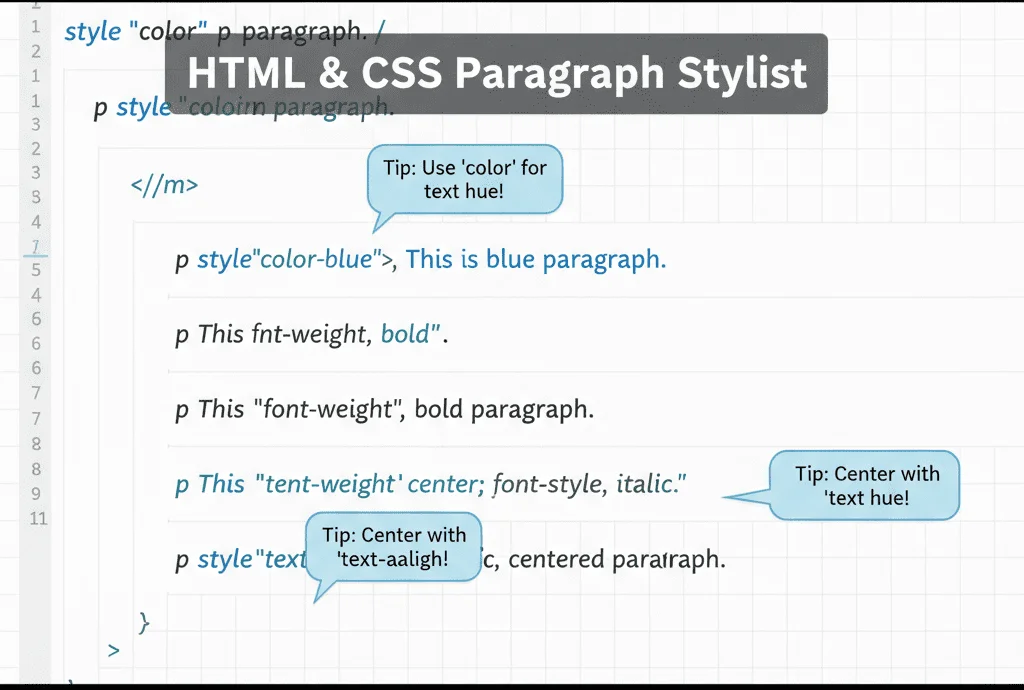
HTML defines the page structure while CSS controls its appearance. When learning how to add a paragraph in HTML, you can enhance the look of your paragraphs using CSS properties such as:
-
Font size and font family to improve legibility.
-
Line height and letter spacing to make reading comfortable.
-
Text color and background color to ensure good contrast.
-
Margin and padding to control the spacing around paragraphs.
Example CSS styling for paragraphs
p{font-size: 16px;line-height: 1.6;color: #333;margin-bottom: 1.25em;}Semantic Best Practices for Paragraphs
While the <p> tag is simple to use, always apply it semantically when learning how to add a paragraph in HTML. Avoid misusing paragraphs to enclose non-text content, as this can lead to invalid HTML. In HTML5, paragraphs should generally be placed within semantic sections like <article> or <section>, which help define meaningful content blocks. Proper semantic use of paragraphs improves readability, accessibility, and SEO by clearly marking text-based content within your webpage.
Practical Code Examples of Paragraphs
Here’s a typical HTML snippet showing proper paragraph usage:
<article>
  <h1>How to Add a Paragraph in HTML</h1>
  <p>Adding paragraphs is straightforward once you understand the syntax.</p>
  <p>Use the <code><p></code> tag to wrap your text. Never nest block elements inside paragraphs.</p>
  <p>Proper formatting ensures a great reading experience on any device.</p>
</article>
Advanced Tips for Expert Paragraph Management
- Use semantic HTML5 container elements to provide context around your paragraphs.
- Break long blocks of text into smaller paragraphs for improved readability.
- Combine paragraphs with headings to build logically organized pages.
- Utilize CSS classes or IDs on paragraphs for targeted styling or scripting.
- Avoid inline styling; prefer external CSS for maintainability and performance.
20 Frequently Asked Questions About How to Add a Paragraph in HTML
- How to add a paragraph in HTML?
Use the<p>tag around your text. - What tag defines a paragraph in HTML?
The<p>tag defines paragraphs. - Can paragraphs contain other block elements?
No, paragraphs cannot nest block-level elements. - How do I add multiple paragraphs?
Wrap each paragraph separately in<p>tags. - Is
<br>used for paragraphs?
No,<br>creates line breaks within paragraphs, not separate paragraphs. - Are closing
</p>tags required?
Yes, they are mandatory for valid HTML. - Can I add inline styling inside paragraphs?
Yes, but better practice is to use CSS. - How do paragraphs improve SEO?
Well-structured paragraphs improve readability and keyword distribution. - How to style paragraphs with CSS?
Use CSS properties like font-size, line-height, color, and margin. - What happens if paragraphs are very long?
Long paragraphs reduce readability and user engagement. - Does accessibility depend on paragraphs?
Yes, clear paragraph structure helps screen reader users. - Should I use paragraphs for every text block?
Use paragraphs for prose and textual content, not for headings or lists. - Can paragraphs contain images?
Yes, inline images can be contained within paragraphs. - What HTML validates as a paragraph?
Text wrapped entirely in<p>tags. - Should paragraphs be inside container elements?
Yes, grouping paragraphs inside<article>or<section>is recommended. - What is the default margin of paragraphs?
Browsers typically apply vertical margin for spacing before and after paragraphs. - Can paragraphs be nested?
No, nesting paragraphs is invalid HTML. - Is it possible to add paragraphs dynamically?
Yes, with JavaScript you can generate paragraphs on the fly. - How do paragraphs behave on mobile?
They adjust with responsive CSS to maintain readability. - Why are paragraphs important in HTML structure?
They provide semantic grouping of related sentences, enhancing content clarity.
Conclusion: Mastering HTML Paragraphs
How to add a paragraph in HTML is arguably one of the simplest yet most crucial skills in web development.
Proper paragraph use structures your content, improves user experience, and positively influences SEO and accessibility.
By mastering the syntax, avoiding common errors, and integrating styling best practices, you build web pages that are clear, engaging, and effective.
Begin practicing today, and watch your web content come alive with readability and semantic precision.
🔥 Don’t Miss These Must-Read Cybersecurity & Tech Articles!
Dive deeper into the world of cybersecurity, Linux, and programming with these carefully selected articles. Expand your knowledge, stay updated, and sharpen your skills!
- Master the SCP Command in Linux: Secure File Transfers Simplified
- What is Application Security? Protect Your Software from Threats
- Installing Kali Linux on a Virtual Machine: A Step-by-Step Guide
- Build Good Security Habits to Stay Safe Online
- How to Install All Modules in Recon-ng: A Practical Guide
- What is Network Security? Basics and Best Practices
- Getting Started with Nessus Essentials for Vulnerability Scanning
For authoritative and detailed information on HTML heading tags, you can visit the official MDN Web Docs page on heading elements:
MDN Web Docs: HTML Heading Elements.