
- Understanding the Importance of Good Security Habits
- Key Security Practices to Implement
- Additional Measures for Enhanced Security
- FAQs on Good Security Habits
- Conclusion
Understanding the Importance of Good Security Habits
Cybersecurity is not just an IT concern but a responsibility shared by every user. Developing good security habits helps protect personal and professional information from cyber threats, reducing the risk of unauthorized access and data breaches.
Key Security Practices to Implement
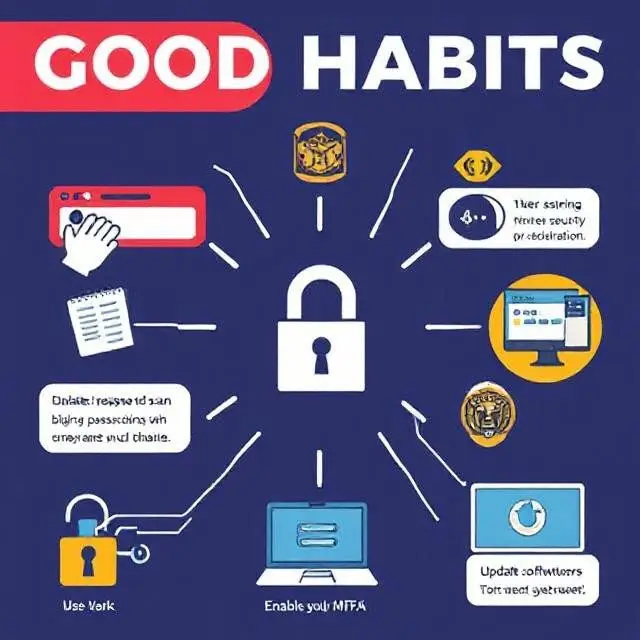
- Create Strong and Unique Passwords: Utilize complex combinations of letters, numbers, and symbols; avoid reusing passwords to enhance security.
- Implement Multifactor Authentication (MFA): Adds extra verification like biometrics or codes sent to devices, reducing unauthorized access risks.
- Keep Software and Systems Updated: Regularly patch applications and operating systems to close security vulnerabilities promptly.
- Be Vigilant with Emails and Links: Verify sender authenticity and avoid clicking suspicious links to prevent phishing and malware attacks.
- Use Trusted Security Software: Employ reputed antivirus and anti-malware solutions to protect against threats in real time.
- Sanitize and Validate User Inputs: Prevent injection attacks by ensuring inputs are clean and expected.
- Conduct Regular Code Reviews: Use static code analysis tools and manual reviews to identify and fix security flaws early.
- Update Third-Party Libraries: Patch dependencies promptly to mitigate risk from known vulnerabilities.
- Perform Comprehensive Security Testing: Use static, dynamic, and penetration testing techniques for thorough vulnerability assessments.
- Apply the Principle of Least Privilege: Limit user and process permissions strictly to necessary functions to minimize attack surfaces.
- Secure APIs: Enforce strong authentication, authorization, encryption, and input validation on APIs to guard data.
- Use Web Application Firewalls (WAFs): Deploy firewalls to filter and monitor HTTP traffic, mitigating common attacks.
- Implement Secure Session Management: Protect session tokens from hijacking via secure cookies and regular expiration policies.
- Monitor and Log Security Events: Collect and analyze logs to detect suspicious activities and initiate incident responses.
- Encrypt Sensitive Data: Protect data with strong encryption algorithms both in transit and at rest.
- Enforce Secure Communication Protocols: Use TLS/SSL for all data exchanges to prevent eavesdropping.
- Apply Security Headers: Set HTTP headers like Content Security Policy (CSP) to mitigate cross-site scripting (XSS) and clickjacking.
- Limit File Upload Risks: Restrict allowable file types and scan uploads to prevent malware introduction.
- Educate Development Teams: Provide ongoing security training and awareness to embed security in culture.
- Integrate Security into DevOps: Automate security checks and enforce policies early in the software development lifecycle.
Additional Measures for Enhanced Security
Regularly Back Up Data
Maintain backups to recover data in cases of loss or ransomware attacks.
Secure Your Wi-Fi Network
Use strong passwords and encryption on Wi-Fi to prevent unauthorized access.
Limit Personal Information Sharing
Be mindful online to avoid identity theft or targeted cyberattacks.
20 FAQs on Good Security Habits
- What are good security habits?
Behaviors and practices that reduce cybersecurity risks. - Why are strong passwords important?
They reduce the risk of account compromise. - How does multifactor authentication improve security?
Adds additional identity verification to prevent unauthorized access. - How often should software be updated?
As soon as updates or patches are released. - What is phishing?
A cyberattack using deceptive messages to steal data or install malware. - How can I spot phishing emails?
Look for suspicious sender addresses or unexpected links. - Are public Wi-Fi networks safe?
They are risky; use VPNs and avoid sensitive transactions. - Why backup data regularly?
To ensure recovery from attacks or data loss. - What security software should I use?
Reputable antivirus, anti-malware, and firewall utilities. - Is it safe to reuse passwords?
No, never reuse passwords across sites. - Can cybersecurity depend on individuals?
Yes, user practices greatly impact overall security. - How to create a strong password?
Use length, complexity, and unpredictability. - What personal info is risky to share online?
Details like address, phone number, or financial info. - Why keep software updated?
To fix security vulnerabilities and improve performance. - How do backups protect against ransomware?
Allows restoration without paying ransoms. - What is a VPN and why use it?
Encrypts internet traffic, enhancing privacy. - How to secure a home Wi-Fi?
Use WPA3 encryption and strong passwords. - What is social engineering?
Attacks manipulating people to reveal confidential info. - Are antivirus programs necessary?
Yes, for detecting and preventing malware. - How can I learn more about cybersecurity?
Through educational sites, courses, and trusted blogs like Coding Journey.
Conclusion
Developing good security habits is essential for protecting yourself and your organization from cyber threats. By implementing best practices such as strong passwords, multifactor authentication, and cautious online behavior, anyone can improve their cybersecurity posture significantly. Stay vigilant, keep learning, and visit Coding Journey for more cybersecurity insights.
Android & Programming Mastery
For official guidance on developing strong cybersecurity practices, visit the CISA Good Security Habits page.


