What is h1 to h6 in HTML?
These six heading tags form the foundation of structured, semantic and SEO-friendly web content.
Whether you’re a Linux user learning web development or a seasoned tech enthusiast, understanding these tags is vital to creating websites that are not just visually appealing but also accessible and search engine optimized.
This comprehensive guide will dissect everything you need to know about HTML heading tags — their meaning, usage, syntax, SEO impact, accessibility benefits, common mistakes and practical tips for expert implementation.
Table of Contents: What is h1 to h6 in HTML
- What is h1 to h6 in HTML? An Essential Overview
- HTML Heading Tags Syntax and Structure
- Default Sizes
- Why h1 to h6 Heading Tags Are Important
- Establishing Visual Hierarchy with Headings
- Semantic Meaning and Accessibility of Headings
- SEO Benefits of Proper Heading Usage
- Best Practices:What is h1 to h6 in HTML
- Common Mistakes and Solutions
- Advanced Tips for Mastering HTML Headings
- Customizing Headings with CSS
- Practical HTML Code:What is h1 to h6 in HTML
- 20 Frequently Asked Questions About What is h1 to h6 in HTML
- Conclusion: What is h1 to h6 in HTML
What is h1 to h6 in HTML? An Essential Overview
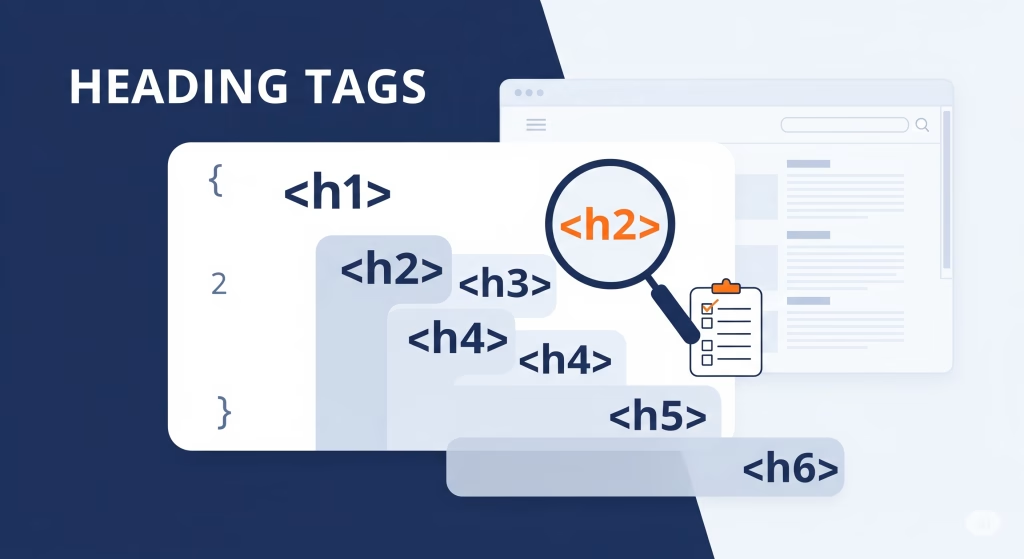
The HTML elements <h1> through <h6> are heading tags used to define titles and subtitles on a webpage.
Each represents a different level of importance and hierarchy within the page’s content structure.<h1> is the most significant tag, typically used for the main page heading, while <h6> is the least significant, used for minor subheadings.
These tags produce visually distinct headings by default and imbue semantic meaning that assists both readers and search engines.
HTML Heading Tags Syntax and Structure
Heading tags use a simple, consistent syntax:
<h1>Main Heading</h1>
<h2>Section Heading</h2>
<h3>Subsection Heading</h3>
<h4>Sub-subsection Heading</h4>
<h5>Lesser Heading</h5>
<h6>Smallest Heading</h6>
Each heading tag is a block-level element, which means the browser renders them on a new line stretching full width by default.
The default font size decreases with increasing heading number, but this can be customized via CSS.
Default Sizes
The HTML heading tags <h1> through <h6> represent six levels of headings, used to structure the content hierarchy on a webpage. Proper use of these tags enhances semantic clarity and boosts SEO performance by signaling content importance to search engines.
By default, browsers display these heading tags with the following approximate font sizes in pixels (px), based on a standard 16px base font size:
h1: Largest heading, typically 32pxh2: Second largest, around 24pxh3: Medium size, about 18.72pxh4: Small, generally 16pxh5: Smaller heading, near 13.28pxh6: Smallest heading, approximately 10.72px
These sizes create a clear visual hierarchy that guides users through the webpage’s content and improves the overall user experience and accessibility.
Why h1 to h6 Heading Tags Are Important
Proper usage of heading tags serves critical functions for your webpage:
- Organizing Content: Headings break text into clear sections, making it easier for readers to scan and digest.
- Improving Accessibility: Screen readers rely on headings to help users navigate and understand the page’s structure.
- Boosting SEO: Search engines analyze headings to gauge topic relevance and page organization.
- Enhancing User Experience: A well-structured page keeps visitors engaged and reduces bounce rates.
Establishing Visual Hierarchy with Headings
The visual order of headings helps communicate importance and flow:
<h1>acts as the main title and draws the most attention.<h2>and<h3>act as prominent subsections.- Lower-level headings (
h4toh6) mark finer-grained subsections.
This hierarchical layering guides reader focus and organizes content logically.
Semantic Meaning and Accessibility of Headings
Beyond appearance, heading tags provide semantic cues that explain the relationship between page sections.
Screen readers and assistive technologies utilize these cues to offer navigational aid for users with disabilities.
This enables users to jump between headings, speeding up content exploration without going line-by-line.
Using headings without regard for semantic order diminishes accessibility and frustrates screen reader users.
SEO Benefits of Proper Heading Usage
Search engines like Google use headings to grasp your webpage’s content layout and priorities.
Proper headings can improve indexing and influence snippet generation in search results.
Key SEO benefits include:
- Improved keyword relevance by naturally placing terms in headings
- Clear content hierarchy helps crawlers differentiate main topics from minor points
- Potential to feature rich snippets based on well-structured content
Best Practices for Using h1 to h6 Tags
Adhere to these to maximize efficiency and SEO impact:
- Use One
h1Per Page: The single primary heading focuses the page. - No Skipping Levels: Follow sequential heading order (e.g., don’t jump from
h2toh4). - Keep Headings Descriptive and Concise: Use clear language that summarizes the section.
- Use Headings for Structure, Not Styling: Use CSS for visual formatting instead of misusing heading tags.
- Integrate Keywords Naturally: Avoid keyword stuffing but include terms relevant to the section.
Common Mistakes and Solutions:
- Using multiple
h1tags indiscriminately, confusing SEO and users. - Skipping heading levels and breaking logical content flow.
- Applying headings just to achieve larger fonts rather than semantic structure.
- Overstuffing headings with excessive keywords.
- Creating headings that are too generic or vague.
Advanced Tips for Mastering HTML Headings
- Add IDs to Headings: Facilitate linking to specific sections and build navigable tables of contents.
- Use ARIA Roles for Complex UI: Enhance semantics when the page uses dynamic or interactive components.
- Wrap Headings in Sectioning Elements: Use HTML5 elements like
<section>and<article>to organize content. - Create Auto-Generated TOCs: Leverage JavaScript or CMS features to build content outlines based on headings.
- Validate Heading Structure: Regularly test your pages using HTML and accessibility validators.
Customizing Headings with CSS
Default heading styles can be changed effortlessly with CSS:
h1 {
  font-size: 3rem;
  color: #007acc;
  font-weight: 700;
  margin-bottom: 1em;
}
h2 {
  font-size: 2.5rem;
  color: #333;
  margin-top: 1.5em;
  margin-bottom: 1em;
}
h3 {
  font-size: 2rem;
  font-style: italic;
  color: #555;
}
/* Styles for h4 to h6 similarly */
This separation of structure and style maintains semantic integrity while delivering brand-consistent visuals.
Practical HTML Code Examples Using h1 to h6
Example demonstrating semantic headings:
<h1>Introduction to Linux</h1>
<h2>Linux Distributions</h2>
<h3>Ubuntu: A Beginner-Friendly OS</h3>
<h4>Installation Steps</h4>
<h5>Hardware Requirements</h5>
<h6>Common Issues</h6>
This shows content clearly divided by topic and subtopic levels.
20 Frequently Asked Questions About What is h1 to h6 in HTML
- What is h1 to h6 in html?
Six levels of heading tags providing page structure. - How many h1 tags should a page have?
Only one, to define the main topic. - Can I style headings with CSS?
Yes, CSS controls their look separately. - Is skipping heading levels bad?
Generally yes; it harms structure and accessibility. - Do headings help SEO?
Absolutely; they clarify content to search engines. - Should headings be short?
Concise yet descriptive is best. - Are headings important for screen readers?
Vital for navigation and understanding. - Can headings contain other tags?
They usually contain inline elements only. - How to check heading usage?
Use browser dev tools and validators. - Do headings affect mobile UX?
Proper headings improve scanning on small screens. - Can headings be hidden visually but accessible?
Yes, with CSS techniques like .sr-only. - Can multiple h2 tags be used?
Yes, as many as needed for structure. - Is h1 the biggest visually?
By default yes but CSS can adjust it. - Should navigation use headings?
Only if sections have clear titles. - How does HTML5 affect heading use?
Sectioning elements add context but don’t replace good headings. - Do heading tags improve snippets?
Yes, well-structured content can influence search snippets. - Are heading tags globally supported?
Yes, all browsers support these HTML elements. - How to create a table of contents?
Extract headings and generate links using JavaScript. - What role do headings play in screen readers?
They allow quick navigation through content sections. - Is semantic HTML important?
Essential for accessibility, SEO, and maintainability.
Conclusion:what is h1 to h6 in html
These tags are your web page’s roadmap, organizing content both visually and semantically.
Following the practices outlined here will enhance clarity, accessibility, and SEO, ensuring your content reaches and resonates with your audience.
Take control of your headings today, and your websites will thank you tomorrow.
🔥 Don’t Miss These Must-Read Cybersecurity & Tech Articles!
Dive deeper into the world of cybersecurity, Linux, and programming with these carefully selected articles. Expand your knowledge, stay updated, and sharpen your skills!
- Master the SCP Command in Linux: Secure File Transfers Simplified
- What is Application Security? Protect Your Software from Threats
- Installing Kali Linux on a Virtual Machine: A Step-by-Step Guide
- Build Good Security Habits to Stay Safe Online
- How to Install All Modules in Recon-ng: A Practical Guide
- What is Network Security? Basics and Best Practices
- Getting Started with Nessus Essentials for Vulnerability Scanning
For authoritative and detailed information on HTML heading tags, you can visit the official MDN Web Docs page on heading elements:
MDN Web Docs: HTML Heading Elements.