
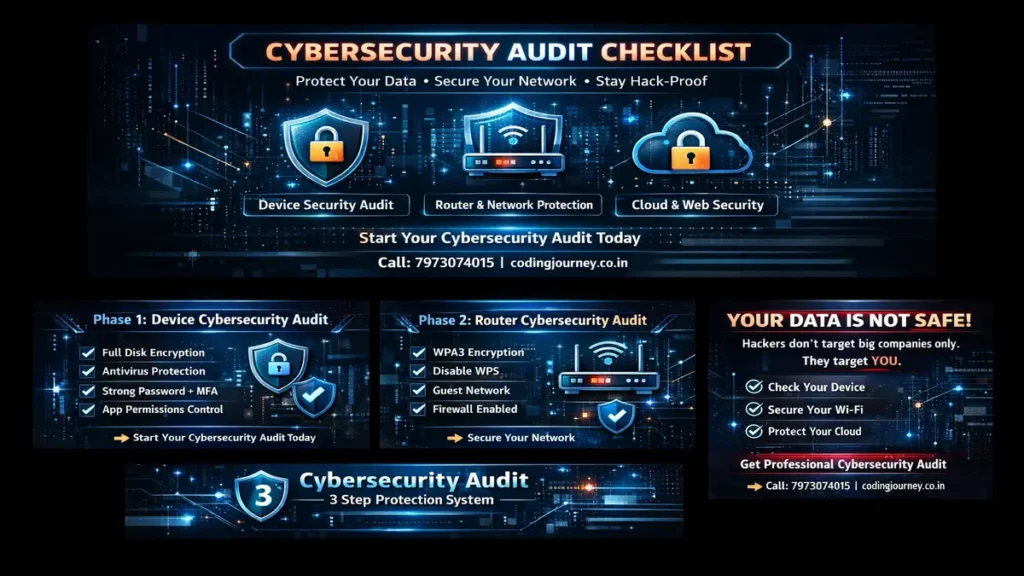
In an age where a single weak password or an unpatched router can lead to a devastating data breach, “hoping for the best” is no longer a security strategy. Whether you are a small business owner managing a local network or an individual looking to protect your family’s private data, your digital safety depends on a systematic approach. Cyber threats don’t just target big corporations; they target the easiest available opening.
A Cybersecurity Audit Checklist is your roadmap to finding those openings before a hacker does. It is a comprehensive review of your hardware, software, and habits to ensure that your defenses are airtight. From the smartphone in your pocket to the server in your office, every device is a potential entry point. In this pillar page, we provide a definitive, beginner-friendly framework to secure standalone devices, local area networks (LAN), and internet-facing systems.
What is a Cybersecurity Audit Checklist?
A cybersecurity audit checklist is a structured document used to evaluate the security posture of an IT environment. Unlike a simple “to-do” list, an audit compares your current settings against industry best practices (like NIST or CIS standards).
It serves three main purposes: Identification of assets, Assessment of current defenses, and Remediation (fixing the holes).
Phase 1: Standalone Device Audit
Use this for laptops, desktops, and mobile devices that hold sensitive data.
Antivirus Protection – Do you have any reputable antivirus/endpoint protection software in place and updated as a part of your cybersecurity audit checklist?
Firewall Activation – Is the firewall feature activated and well configured in order to ensure that it blocks any unauthorized access?
Use of Secure Wi-Fi Connections – Do devices use secure Wi-Fi connections (such as WPA2 or WPA3)?
Auto-Lock Feature – Is auto-locking configured to be activated after a certain time period (5 to 10 minutes) of inactivity?
Data Back-Up – Is there any scheduled automatic backup of data either in the cloud or an external storage device?
USB Ports Blocking/Monitoring – Are USB ports disabled or monitored to block any data theft?
Software Whitelisting – Are only whitelisted applications installed and allowed to run on the device?
Security Settings in Browsers – Are all the browsers configured for security (Pop-up Blocker on, Only HTTPS connection, and Tracking Disabled)?
Remote Wipe Feature – Is remote wipe feature enabled in laptops and other mobile devices?
System Logs Analysis – Do you check the system logs to identify any unusual activities?
Phase 2: Local Area Network (LAN) & Router Audit
Your router is the “Front Door” of your digital home. Secure it with these steps.
Default Credentials Change: Have you modified the default credentials on your router during your cybersecurity audit?
SSID Broadcasting Management: Is your network name customized and does it not give away any personal or device information?
Guest Network Setup: Have you set up a separate guest network that doesn’t allow access to your primary network?
MAC Filtering: Have you restricted only your trusted devices from connecting to your network through MAC address filtering?
Remote Management Off: Have you turned off your remote management unless it is really needed?
DNS Security Check: Have you used any DNS service providers such as Google DNS or Cloudflare to avoid malicious DNS redirection?
Intrusion Detection and Prevention: Have you enabled any intrusion detection and prevention capabilities on your router?
Port Forwarding Review: Have you checked your port forwarding configuration for any open ports?
Connected Device List: Have you kept a record of all the devices that have ever connected to your network?
UPnP Off: Have you turned off UPnP on your router according to your cybersecurity audit checklist?
Phase 3: Internet & Cloud Security Audit
Check how your data interacts with the World Wide Web.
Password Manager Usage: Do you use a reputable password manager for creating and storing passwords?
Account Activity Monitoring: Do you monitor account activities to ensure that unauthorized access attempts are prevented?
Data Encryption in Transit: Do you guarantee that all websites and applications use encrypted connections to secure user data in transit?
Third-Party Application Permissions: Do you remove unnecessary permissions that third-party applications have on your Google, Microsoft, or other cloud accounts?
Phishing Attack Awareness: Do you have knowledge of common phishing attacks and tactics that cyber attackers use?
Spam Filtering and Advanced Email Protection: Do you configure spam filters and advanced email security features to prevent malicious emails from reaching your inbox?
Automatic Session Logouts: Do you configure automatic session logouts on sensitive applications and websites?
Cloud Backup Validations: Do you validate that cloud backups can be restored without issues?
Secure File Sharing: Do you use password-protected and time-limited links when uploading files to websites?
Dark Web Monitoring: Do you monitor whether your email address and passwords are posted on the dark web?
20 Frequently Asked Questions (FAQ)
1. When should I perform an audit?
Ideally, you should conduct a cybersecurity audit checklist every six months or each time you buy a new gadget to ensure your security settings stay up-to-date.
2. Is it enough to use a free antivirus program?
While a free antivirus program will work well, the cybersecurity audit checklist will help you determine whether it is properly set up and effective against current threats.
3. What is Shadow IT?
It is when you use unauthorized software and devices, and a cybersecurity audit checklist will help detect and secure it.
4. Do I have to hide my SSID?
While hiding your SSID provides some level of security, the cybersecurity audit checklist highlights how crucial it is to utilize powerful encryption such as WPA3.
5. What is Zero Trust?
Zero Trust is a security principle where any gadget requires verification to access resources, and the cybersecurity audit checklist will help you establish it across all your devices and users.
6. Can a Virtual Private Network (VPN) assist during an audit?
Indeed, it protects your internet connection, and the cybersecurity audit checklist will make sure your connection is safe and your data is transferred securely.
7. Can I perform a cybersecurity audit of my smartphone?
Yes, performing a cybersecurity audit of a smartphone implies evaluating its applications’ permissions, settings, and updates.
8. Why disable UPnP?
The UPnP feature allows the system to open ports automatically, which is why the cybersecurity audit checklist suggests disabling it.
9. What does an air-gapped device imply?
Being completely isolated, the air-gapped device represents the most secure solution recommended in the cybersecurity audit checklist.
10. How can I be aware of a potential data breach?
One should regularly monitor their credentials through services like “Have I Been Pwned?” in accordance with the cybersecurity audit checklist.
11. Are IoT devices secure?
In many cases, the IoT devices pose great risks to users, which is why the cybersecurity audit checklist suggests using a guest network only for them.
12. What does a pentest mean?
Also called penetration test, it implies attempting to exploit a vulnerability within the system as part of the cybersecurity audit checklist.
13. Which connection type is more reliable, Ethernet or Wi-Fi?
In terms of security, Ethernet represents a preferred choice since it cannot be accessed remotely in accordance with the cybersecurity audit checklist.
14. Do I Need a Master Password?
Absolutely, and a cybersecurity audit checklist helps make sure that your master password properly guards your password manager and important accounts.
15. What is EOL Software?
End-of-Life software stops receiving updates, and it is necessary to replace it right away according to a cybersecurity audit checklist due to its severe security flaws.
16. Can I Conduct My Audit in Excel?
Yes, Excel could be used to track devices and risk factors and a cybersecurity audit checklist could be managed easily within Excel sheets.
17. What is MAC Filtering?
It restricts access to a computer to only authorized devices, and a cybersecurity audit checklist suggests employing MAC filtering as an additional measure.
18. Does Two-Factor Authentication Stop Hacking?
While not preventing every attack, a cybersecurity audit checklist proves that 2FA makes it impossible for an attacker to hack your device automatically.
19. Why Would I Audit Backups?
Auditing backups is needed to ensure their integrity, which means a cybersecurity audit checklist will show whether backups are accessible or corrupt.
20. Is This Checkup Only for Business Organizations?
Not at all – both organizations and individuals need such a checkup in order to ensure cybersecurity and prevent identity theft issues.
Stay Connected with My Coding Journey
Don’t let scammers stop your professional growth. Join our community for more tech safety tips!
For more tutorials and guides, check out: CodingJourney.co.in
Related Posts
 SIM Swap Fraud: 7 Best Ways to Secure Your Mobile
Imagine waking up to a phone that says "No Service." You restart it, check your…
 Google Ads Phishing: 7 Shocking Ways Scammers Steal Data
Google Ads Phishing:If you search for something like “fixing Outlook errors” and click on the…
 Cybersecurity Defense in Depth: Stop 7 Fatal Vulnerabilities
Cybersecurity defense in depth are needed in today’s cyber world.Cyber criminals can bypass firewalls to…
 server security audit: Windows, Linux & Virtual Servers
Servers are the brain and heart of any organization. They store sensitive customer data, business…